DDR Touble Shooting
ID: RK-PC-YF-043
Release Version: V1.0.1
Release Date: 2021-01-25
Security Level: □Top-Secret □Secret □Internal ■Public
DISCLAIMER
THIS DOCUMENT IS PROVIDED “AS IS”. ROCKCHIP ELECTRONICS CO., LTD.(“ROCKCHIP”)DOES NOT PROVIDE ANY WARRANTY OF ANY KIND, EXPRESSED, IMPLIED OR OTHERWISE, WITH RESPECT TO THE ACCURACY, RELIABILITY, COMPLETENESS,MERCHANTABILITY, FITNESS FOR ANY PARTICULAR PURPOSE OR NON-INFRINGEMENT OF ANY REPRESENTATION, INFORMATION AND CONTENT IN THIS DOCUMENT. THIS DOCUMENT IS FOR REFERENCE ONLY. THIS DOCUMENT MAY BE UPDATED OR CHANGED WITHOUT ANY NOTICE AT ANY TIME DUE TO THE UPGRADES OF THE PRODUCT OR ANY OTHER REASONS.
Trademark Statement
"Rockchip", "瑞芯微", "瑞芯" shall be Rockchip’s registered trademarks and owned by Rockchip. All the other trademarks or registered trademarks mentioned in this document shall be owned by their respective owners.
All rights reserved. ©2021. Rockchip Electronics Co., Ltd.
Beyond the scope of fair use, neither any entity nor individual shall extract, copy, or distribute this document in any form in whole or in part without the written approval of Rockchip.
Rockchip Electronics Co., Ltd.
No.18 Building, A District, No.89, software Boulevard Fuzhou, Fujian,PRC
Website: www.rock-chips.com
Customer service Tel: +86-4007-700-590
Customer service Fax: +86-591-83951833
Customer service e-Mail: fae@rock-chips.com
Preface
Overview
This document provides the DRAM debug method, which is suitable to all Rockchip chips.
Product Version
| Chipset | Kernel Version |
|---|---|
| ALL Rockchip chipset | All |
Intended Audience
This document (this guide) is mainly intended for:
Technical support engineers
Software development engineers
Revision History
| Version | Author | Date | Change Description |
|---|---|---|---|
| V1.0.0 | Yunping.Tang | 2017-12-01 | Initial version |
| V1.0.1 | Karen Huang | 2021-02-25 | Modify format and document name |
Contents
[TOC]
How to Identify DDR Bug
- Check UART log
-
If it is error in loader DDR initialization, that must be DDR error
-
Check DDR capacity's row and column ,bank or bandwidth in DDR initialization, if imformation setting incorrectly, that may cause stability trouble.
-
If the UART log is a panic log in the system, you can try more to compare the address of the panic. If it is consistent, it is basically impossible to be a DDR error. If it is inconsistent, it may be a DDR error or a power defect.
-
- Check the display normal or not.If the screen display fail, mostly likely to be DDR error.
- Do the following experiment:
- Try to lower and fix the ARM GPU frequency, increase their voltage, if it works, not DDR error. It can be confirmed as a power problem.
- Turn off the DDR frequency scaling. If it is effective, the probability of the problem caused by DDR frequency scaling is relatively large.
- Lower the DDR frequency to a conservative frequency such as 200M. If it works, probably is signal integrity problem.
Main Cause of DDR Error
- Some DDR error may caused by power integrity:
- Not enough the capacitor on the layout, place too far from the chip and unreasonable distribution, that all may cause the power issue.
- The power feedback loop is not routed from the end to the PMU/DC-DC as required.
- The copper did not process as RK's layout rules, which cause the power path too narrow.
- The GND directly under the chip of the LQFP package needs to be stacked to ensure good grounding, otherwise it will effect on the internal power quality and heat dissipation of the chip.
- Signal integrity:
- Unequal lines in PCB layout. Most of RK platform does not have a variety of eye training. The unequal length of the line will directly sacrifice the DDR setup/hold time.
- Too narrow line spacing will cause serious crosstalk problems.
- The T-type topology branches are not equal in length. Branches of unequal length will deteriorate the edge of the signal, which will causing an nonmonotonic edge.
- Incomplete on the signal reference layer loop. If the gap is set too large when the copper is applied, the via hole directly blocks the reference layer, which may cause a decrease in signal quality and cause compatibility problems.
- DDR Die defect:
- DRAM chip from uncertain supplier cannot be guaranteed.
- There have some DDR from special DDR supplyer, may have problems such as weak driving strength.
- Hynix 4Gb C die DDR3, such as H5TQ4G63CFR, some earlier kernel 3.10 code need to be patched.(If kernel is booting successful, it no need this patch otherwise it need to be patched).
Regular Method to Solve Problem
The general solution to the DDR problem is to find the regular pattern such as crashing always at a certain frequency, the machine resume freeze related to the suspend time an so on. Trying various methods can narrow the problem such as fixed frequency, different frequencies, raise voltage, change drive strength, etc.
-
For error reported in DDR initialization
-
If there is an error of "rd addr 0x... = 0x..." is basically a soldering problem. You can use "DDR Test Tool" to solve this problem.
-
If "16bit error!!!", "W FF != R" is reported, it means that the basic DDR reading and writing is wrong. In this case, the fail cause probably is soldering problems.
-
Printing "unknow device" means it is incorrect even basic reading and writing of DDR and the dram type cannot be detected. You should be check the board soldering condition .
-
For some special capacity other than 2 ⁿ Byte, such as 768MB, 1.5GB, 3GB DDR chip, some versions of the code may not be compatible, if there is any problem, you can contact the related DDR engineers for help.
-
For the error reporting in the DDR loader, most of which will be judge as soldering problems. You can try to use the DDR test tool "weld the test items" option for the corresponding capacity test.
-
-
Check whether the DDR capacity row and column and the DDR type width in the DDR initialization log in the loader are correct. If the information is wrong, it may cause DDR problems.
As shown below, the first line is DDR version number, the third line is DDR frequency, the fourth line is DDR type, the fifth line from left to right are the system's system width, column, bank, row, chip select, Die width and total capacity. After the 7th line "OUT" is printed, DDR is successfully initialized and exited and then behind log printed by usbplug or miniloader. Meanwhile, Die Bus-Width will not be ok if larer than the actual value while it will cause a crash if smaller than it.
DDR Version V1.06 20171026
In
300MHz
DDR3
Bus Width=32 col=10 Bank=8 Row=15 CS=2 Die Bus-Width=16 Size=2048MB
mach:14
OUT
Boot1 Realease Time:2017-06-12, version: 2.37
-
See if the display is normal.
Although the CPU stopped when the system crashed, VOP will still repeat reading the data from the DDR and displaying it on the screen. Therefore, when the crash occurs, you can directly observe the displayed situation to preliminary judge the status of the DDR at this time.
- If display normal, it means that the DDR can be accessed normally, but it does not mean that the crash is not related to the DDR.
- If display by mistake:
- As the picture as shown below, it may be that the DDR is in an inaccessible state during the DDR frequency scaling process. At this time, you can try fixing the DDR frequency. Or it may be DDR controller logically error caused by power issue.
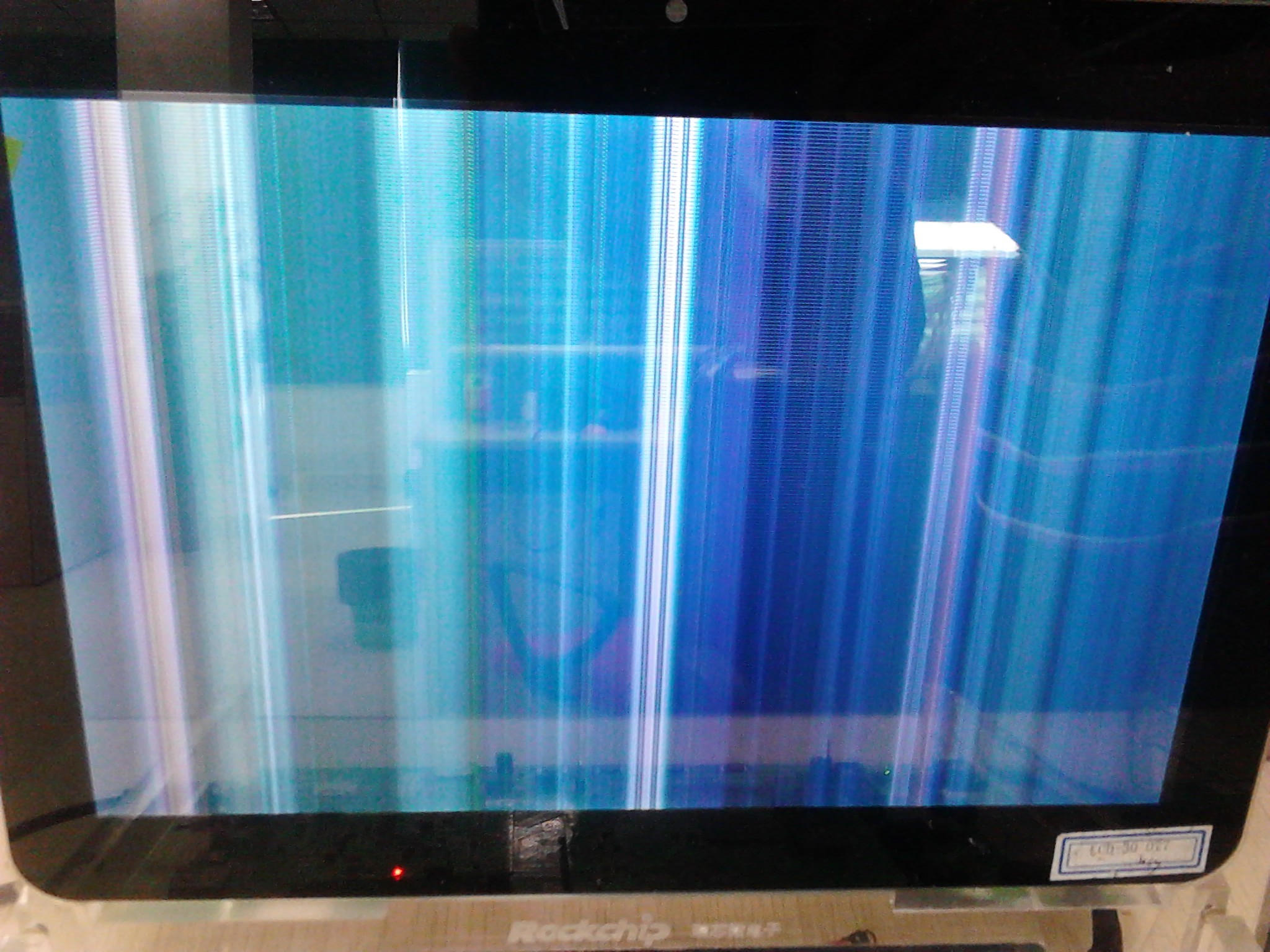
- As shown picture below, we call it "Ghosting", there is a similar situation triggered by the incompleted reference layer of the board. The way to fix it is trying raise the
VCC_DDRvoltage to 1.6V or bypassing the dll of DDR.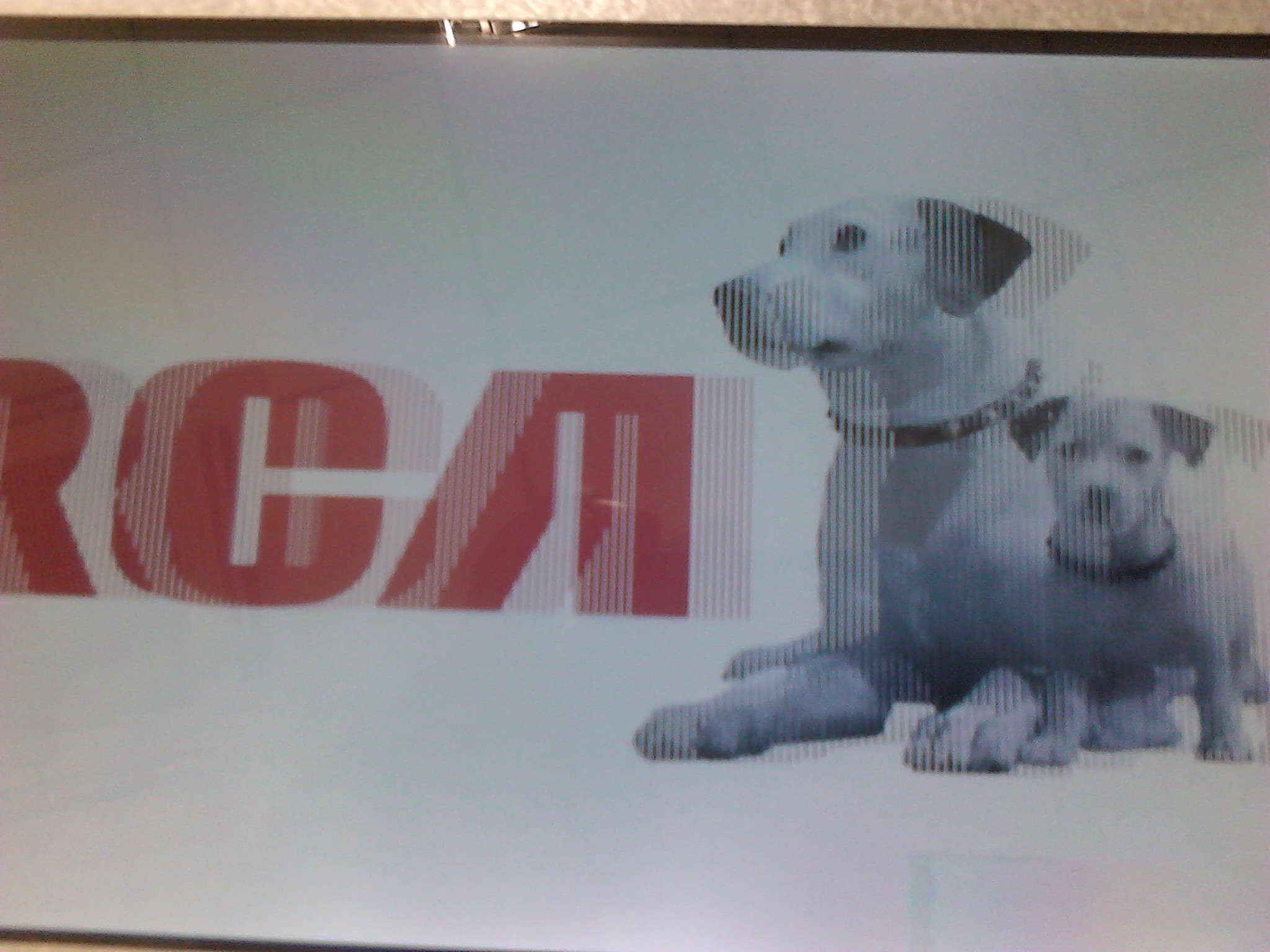
- As the picture as shown below, it may be that the DDR is in an inaccessible state during the DDR frequency scaling process. At this time, you can try fixing the DDR frequency. Or it may be DDR controller logically error caused by power issue.
-
Troubleshoot if it is a power issue
- Fix the CPU/GPU to a lower frequency and raise the ARM/Logic voltage to inspect if there is any improvement. If works, this bug may be a power issue.
- Review the layout to inspect if there is a problem with the power supply.
- Measure power noise.
-
Troubleshoot signal integrity problem
- Reduce the DDR frequency to inspect if there is a significant improvement. If it does, it is likely to be a signal integrity problem.
- Ask RK hardware department for review the layout and gerber files, check if the routing is reasonable and the reference layer is integrated.
- Strengthen or weaken drive strength or ODT strength appropriately to inspect if there is any improvement
- Change the resistance of RZQ to inspect if there is any improvement.As there are some 220ball LPDDR3 need to minify the RZQ or remove the drive strength to work.
-
DDR from uncertain supplier
For these DDR, if the power supply, the signal quality looks no problem, you can only suspect that there may be a problem with the storage unit. Try the below method:
- Try turning off pd_idle, sr_idle.
- For situation of "Ghosting", try bypassing DRAM DLL.
- Some of the storage unit's bug can be tested by the DDR test tool,which are tested more by the DDR test tool 'March' at present. It should be noticed that the DDR test tool is only used as an auxiliary tool. The test tool result does not mean that the DDR or board stability no problem at all.