Android Build and Flashing
Source Directory
The original package stores the Android 13 source archive under DVD_x8390/source/. Archive names can change between releases.
tar -xzvf x8390_android13_v5.tar.gz
cd x8390_android13
Build the Android source as a normal user rather than root.
Build Commands
Build Android and the Upgrade Package
./build.sh -A -u
Show Help
./build.sh -h
| Option | Function |
|---|---|
-A, --android | Build Android |
-U, --update | Build the update package |
-S, --system | Build MSSI system only for debugging |
-V, --vendor | Build AP vendor only for debugging |
-K, --kernel | Build the kernel only for debugging |
-M, --merge | Merge images |
-a, --all | Build all components |
-h, --help | Display help |
Build results are placed in output/.
Windows Flashing Tools
- Driver:
tools/Driver_Auto_Installer_SP_Drivers_20160804.zip - Tool:
tools/SP_Flash_Tool_v6.2316_Win.7z - Configuration:
flash.xmlfrom the build output directory
SP Flash Tool Procedure
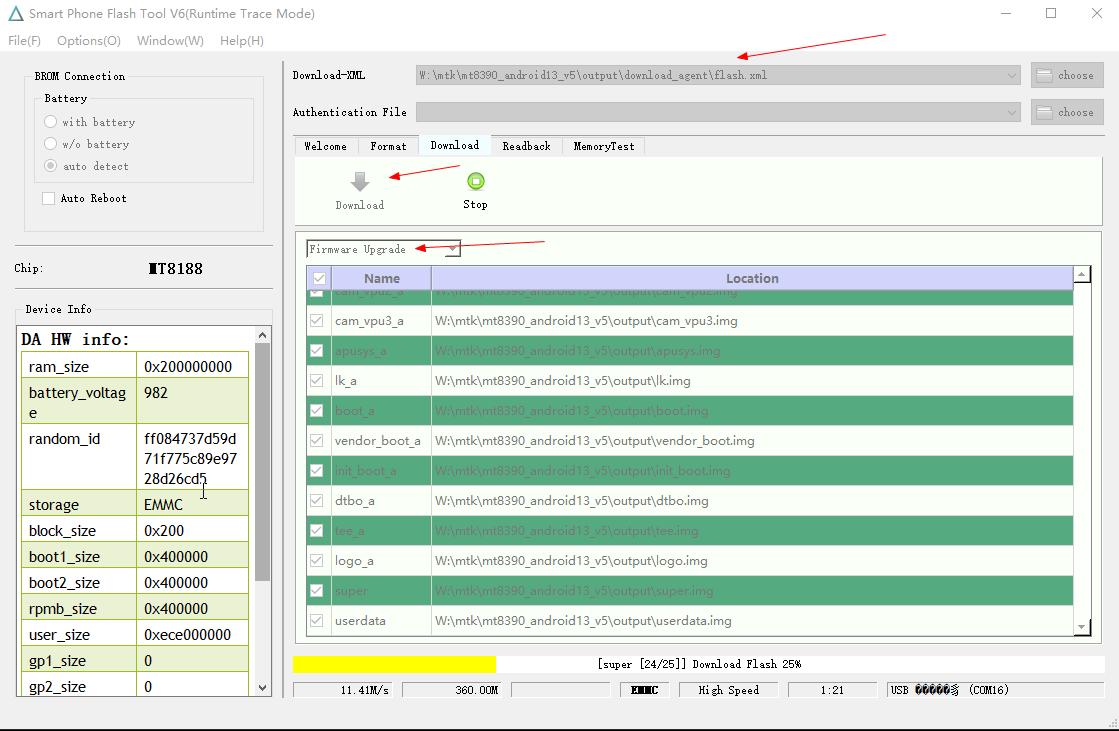
- Install the MediaTek USB driver and extract SP Flash Tool.
- Select
output/flash.xml. - Select
Firmware Upgrademode. - Click
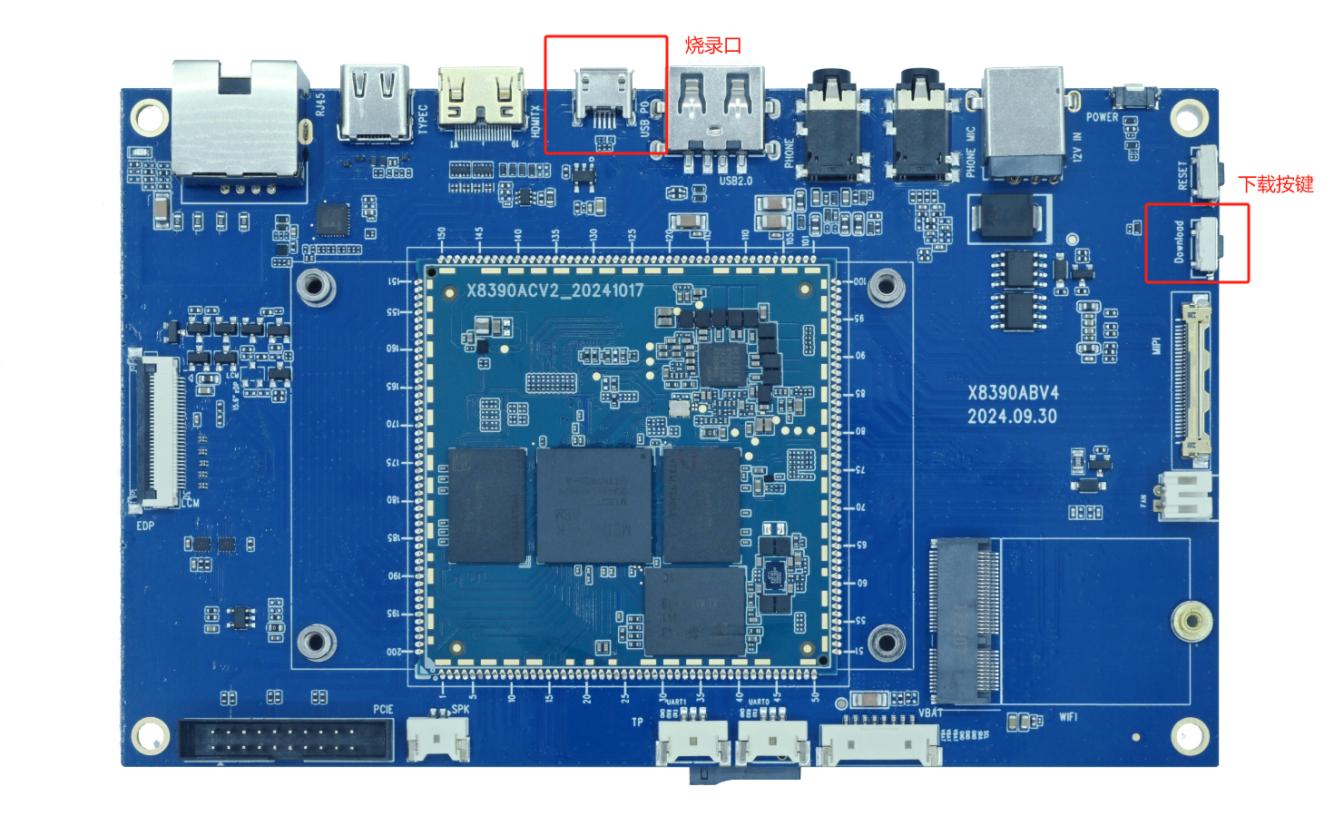
Download. - Connect the Micro USB flashing port and the 12V power supply.
- Press the download key to enter the MediaTek download mode.
- Wait for completion without disconnecting USB or power.
Flashing Port and Download Key
For failures, check the USB driver, cable, power capacity, download-key timing, and whether flash.xml belongs to the same output set.