Build and Flash
Extract and Inspect
tar -xzvf v821.tar.gz
cd v821-tina
ls
tree -L 1
cat README.txt
Use the actual archive and directory names supplied with the SDK.
Select a Board and Build
source build/envsetup.sh
lunch
# Select v821-aitoy-tina or the board requested by the vendor

m -j4
# or make -j4
On the first board selection, the SDK may require an eight-second notice and a Y confirmation. mp can be used for a combined build-and-package flow in SDK versions that provide it.
Package
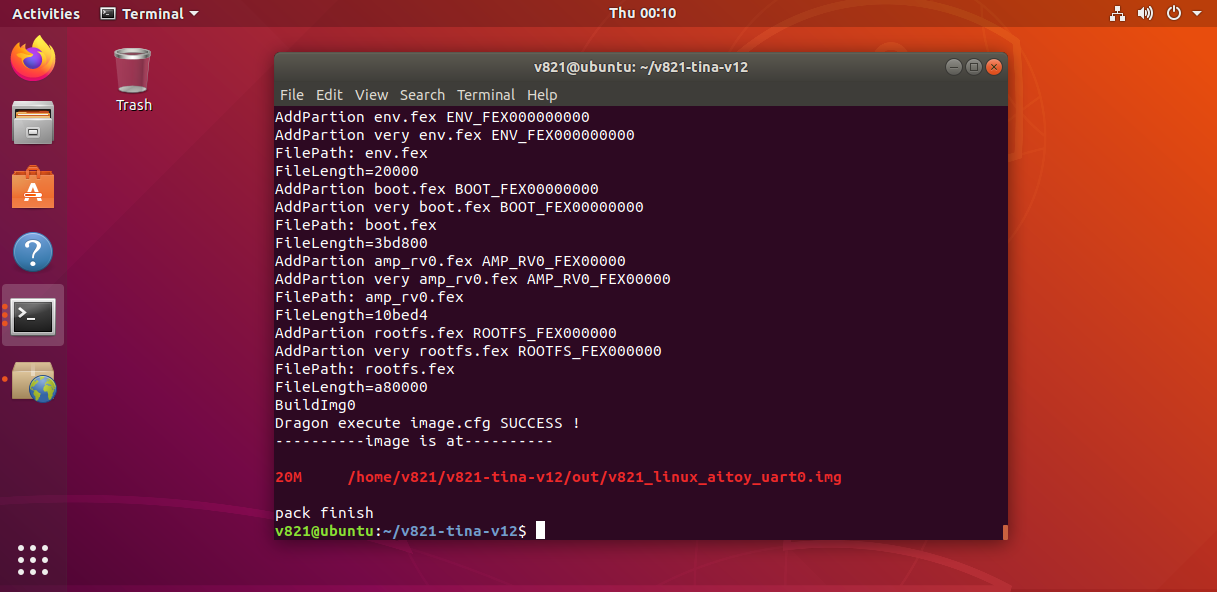
pack
A successful package produces an image under out/, for example:
out/v821_linux_aitoy_uart0.img
Flash with PhoenixSuit
- Install the Allwinner USB flash driver and PhoenixSuit on Windows.
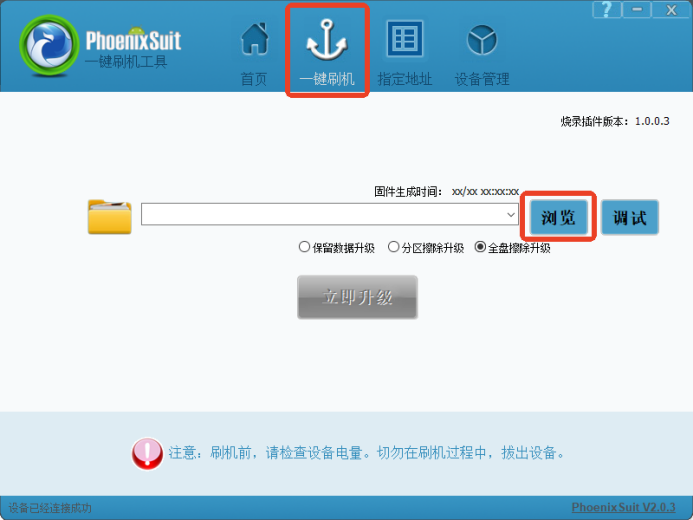
- Open the one-key flash page and select the generated
.imgfile. - Select full erase/upgrade.
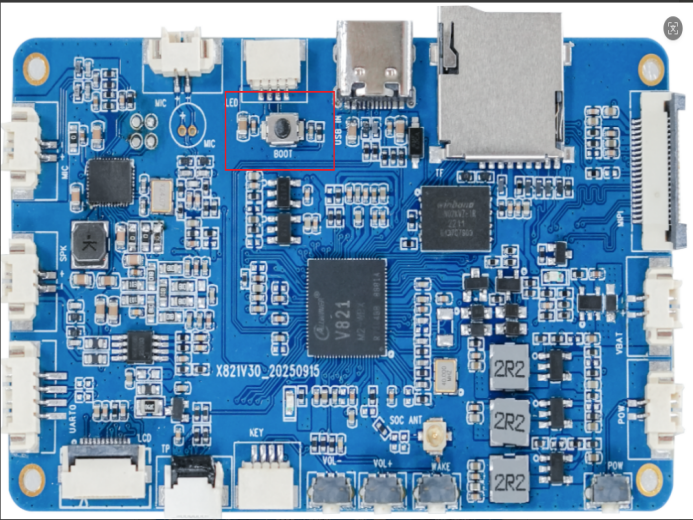
- Power off the board and hold the BOOT key.
- Connect the board to the PC through Type-C and apply power.
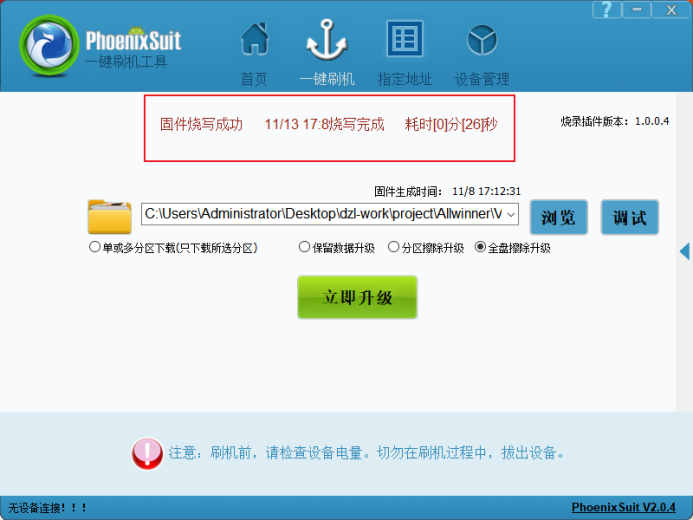
- Release BOOT after the tool detects the device, then wait for completion.
Common Failure Points
- Unknown device remains in Device Manager: reinstall the driver from the
UsbDriverdirectory. - Packaging fails because a partition is too small: inspect the partition table or use
auto_update_partition. - The board does not enter flash mode: verify the BOOT key, use a data-capable Type-C cable, and check power.
- The image flashes but does not boot: verify that the selected lunch target, storage medium, and partition table match the hardware.