Linux Examples
TF Card
After inserting the card, inspect the kernel log and block devices:
dmesg | tail -n 50
lsblk
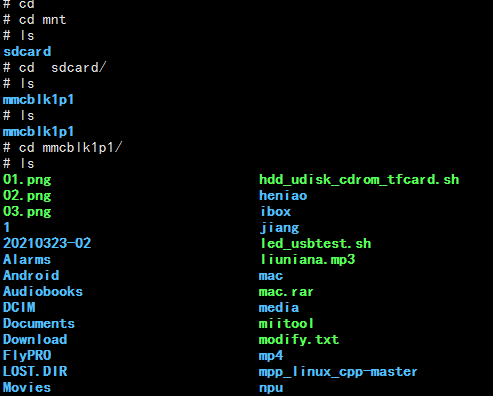
The manual shows /dev/mmcblk1p1, but the real node must be taken from lsblk:
mkdir -p /mnt/tf
mount /dev/mmcblk1p1 /mnt/tf
ls -la /mnt/tf
Audio Playback
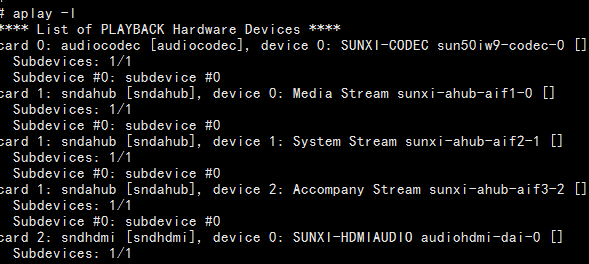
List cards and PCM devices first:
aplay -l
aplay -L
Play a WAV file:
aplay /mnt/tf/test.wav
USB Drive
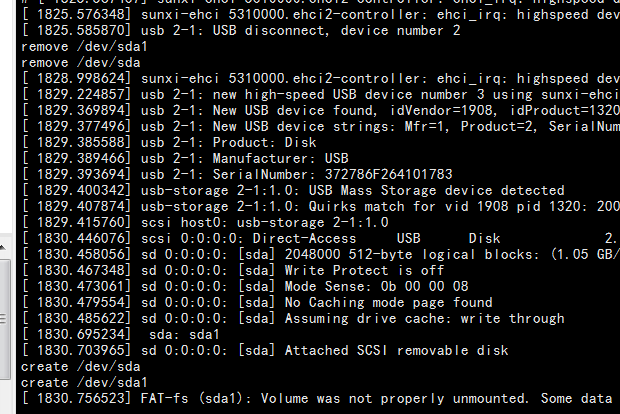
dmesg | tail -n 50
lsblk
mkdir -p /mnt/usb
mount /dev/sda1 /mnt/usb
ls -la /mnt/usb
The /dev/sda4 node shown in the source manual is only one partition example and is not fixed.
Wired Ethernet
After connecting a cable, check link and addressing:
ip link show eth0
ip addr show eth0
ip route
ethtool eth0
ping -c 4 192.168.1.1
When the image does not include ip, use ifconfig and route -n as temporary alternatives.

Recommended Debug Order
- Use
dmesgto confirm that the driver probed successfully. - Check the device node and sysfs nodes.
- Check power, clocks, reset, and pin multiplexing.
- Then check user-space mounting, network configuration, or audio routing.