Android Build and Flashing
Build Environment
The supplied manual uses old Ubuntu examples. For the delivered Android 10 SDK, follow the SDK README, build script, and any container or host-version requirements. A native Linux host with sufficient RAM and disk space is recommended for a complete Android build.
Common Packages
sudo apt-get install git gnupg flex bison gperf build-essential zip curl zlib1g-dev gcc-multilib g++-multilib libncurses5-dev libxml2-utils xsltproc unzip lzop liblz4-tool device-tree-compiler u-boot-tools libssl-dev adb fastboot
For a serial console:
sudo apt-get install picocom
sudo picocom -b 115200 /dev/ttyUSB0
Source Retrieval
Restore a Git Working Tree from the Archive
tar xjf x507_android10.tar.bz2
cd x507_android10
git checkout .
Add the Remote Repository
git remote add gitlab http://gitlab.com/9tripod/x507_android10.git
git pull gitlab
Archive names and repository URLs may differ between delivery releases.
Build Commands
Build as a normal user rather than running the complete Android build as root.
Complete Build
./mk.sh -a
Kernel Build
./mk.sh -l
Android Filesystem Build
./mk.sh -s
Help
./mk.sh -h
The source manual states that -a performs the U-Boot, kernel, system, and update-image steps. Treat the current mk.sh -h output as authoritative.
Main Images
| Image | Purpose |
|---|---|
| MiniLoaderAll.bin / uboot.img / trust.img | Boot-chain images |
| kernel.img | Linux kernel image |
| resource.img | Device tree and boot resources |
| boot.img | Android ramdisk and boot image |
| system.img | Android system partition |
| vendor.img | Android vendor partition |
| recovery.img | Recovery image |
| misc.img | Boot-mode and recovery parameters |
| oem.img | Vendor read-only data or applications |
| update-android.img | Complete upgrade package |
PhoenixSuit USB Flashing
- Install and start PhoenixSuit.
- Select the complete IMG firmware generated by the build.
- Power the board off and wait for all LEDs to turn off.
- Hold FEL and reapply power, or hold FEL and press Reset.
- Confirm the format prompt according to the project requirements.
- Wait for completion without disconnecting USB or power.
Device and Firmware Selection
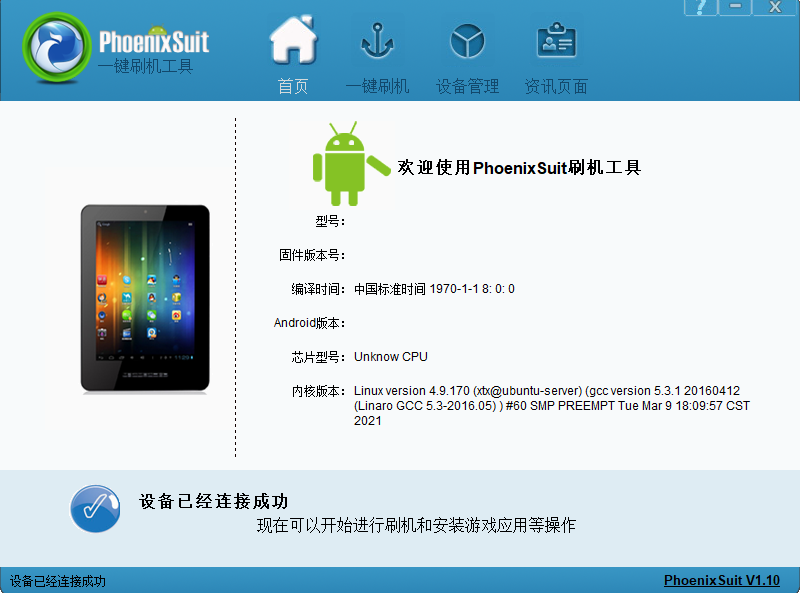
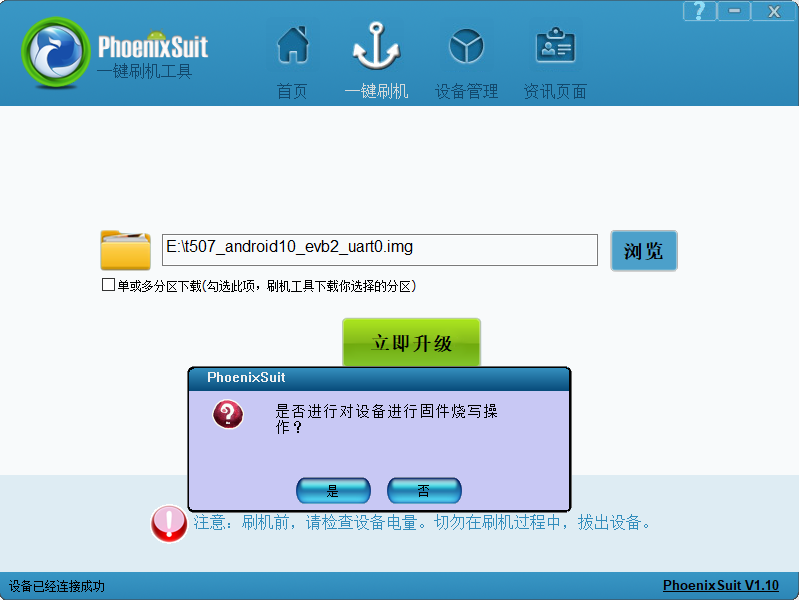
FEL Location
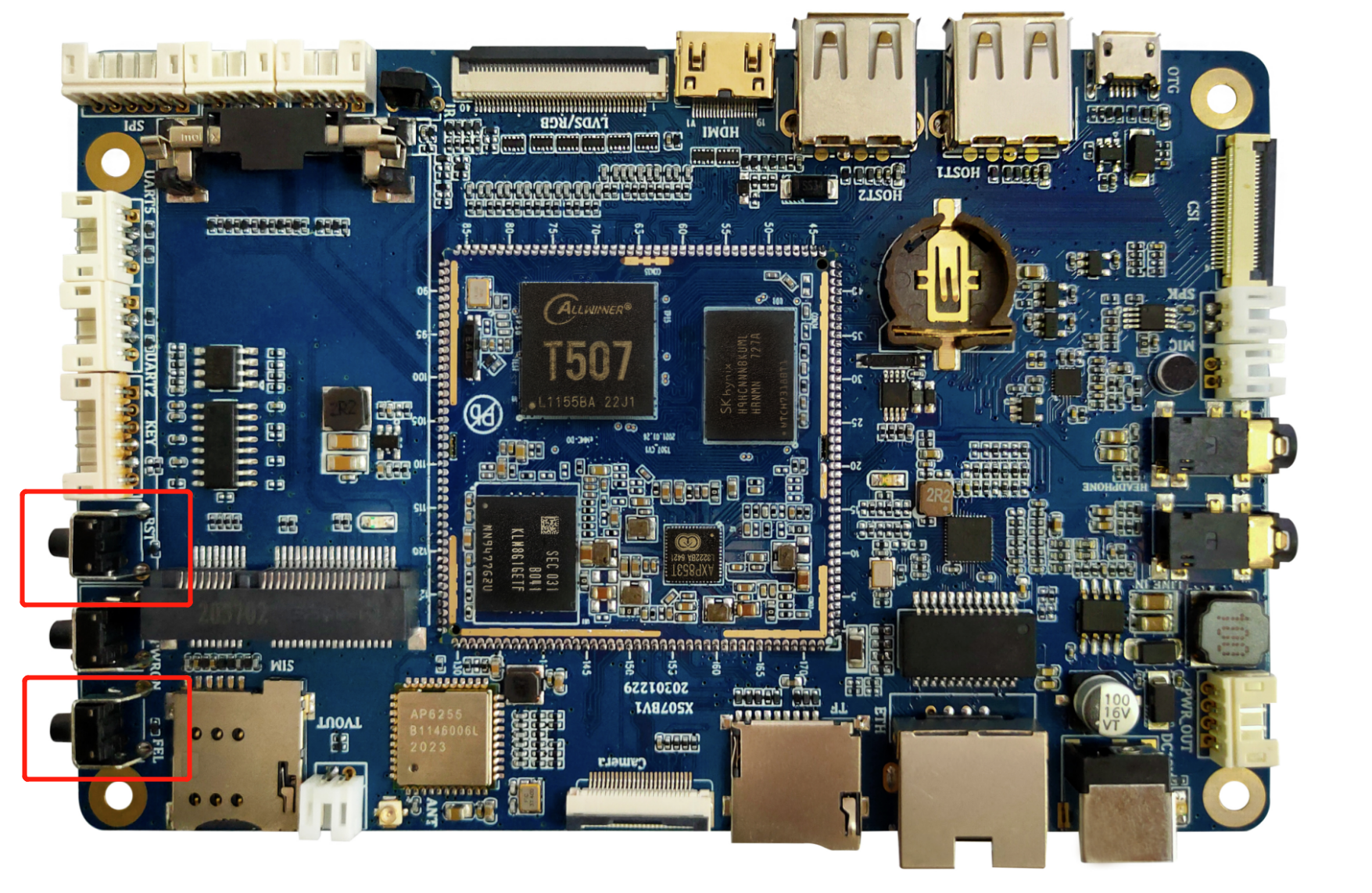
Flash Progress
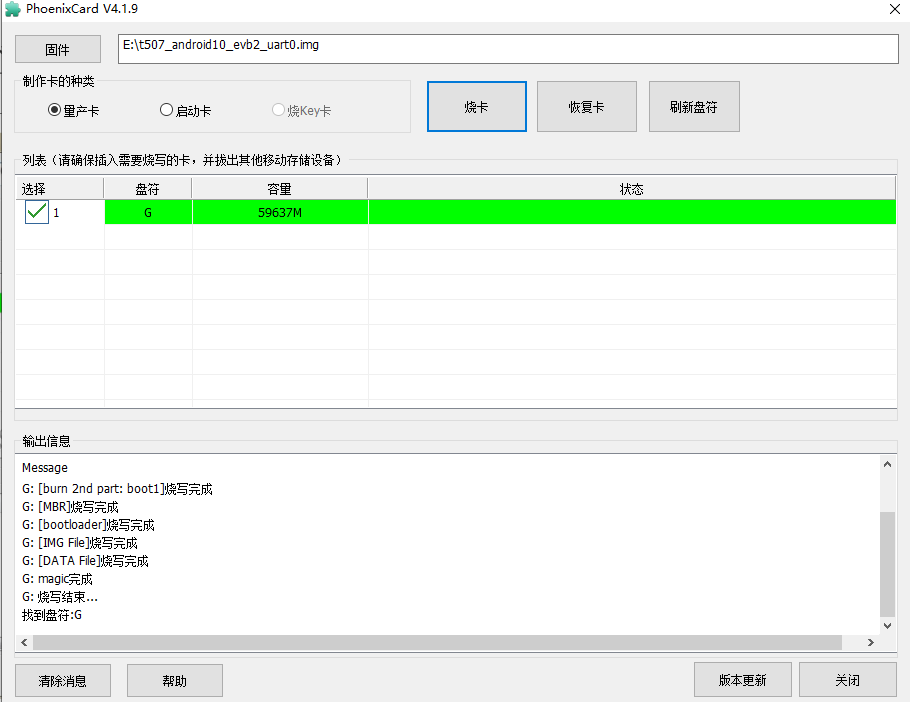
PhoenixCard TF-Card Upgrade
- Extract PhoenixCard from the SDK tools directory.
- Insert a TF card and select the complete firmware.
- Create the upgrade card.
- With power removed, insert the card and power the board on.
- Wait for the display progress and serial log to finish, then remove the card and reboot.
Source-Manual Errata
The Android manual contains legacy Rockchip material, including rk3288 output paths, rk30board command-line samples, and Rockchip logo instructions. Those items are not directly applicable to the Allwinner T507. This page keeps only the T507/Longan build and PhoenixSuit/PhoenixCard procedures.