Build and Flash
cd <SDK>
source build/envsetup.sh
lunch
m
pack
The selected target must match the board, storage medium, and product scenario.
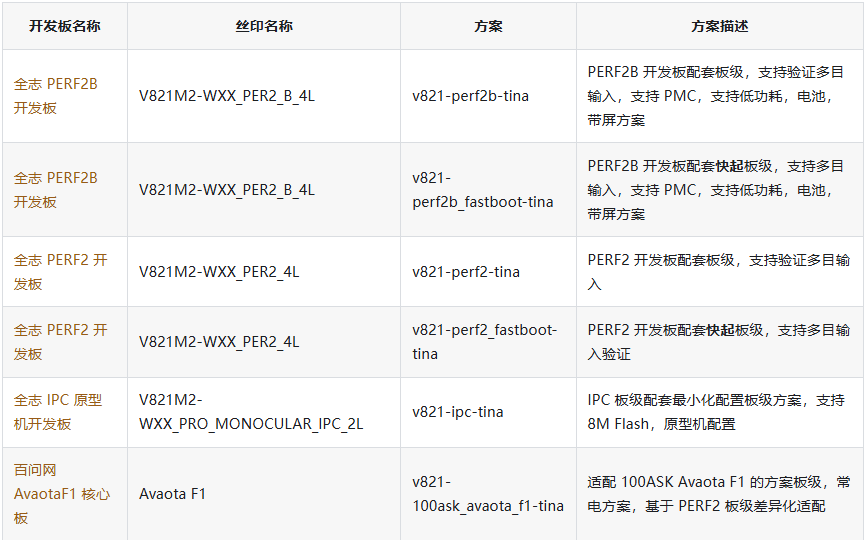
For partial builds:
m kernel
m openwrt
m rtos
USB Flashing
- Install the Allwinner USB driver on Windows.
- Load the generated
.imgfile in the flashing tool. - Power off the board.
- Hold FEL while connecting USB or resetting.
- Start flashing after the device is detected.
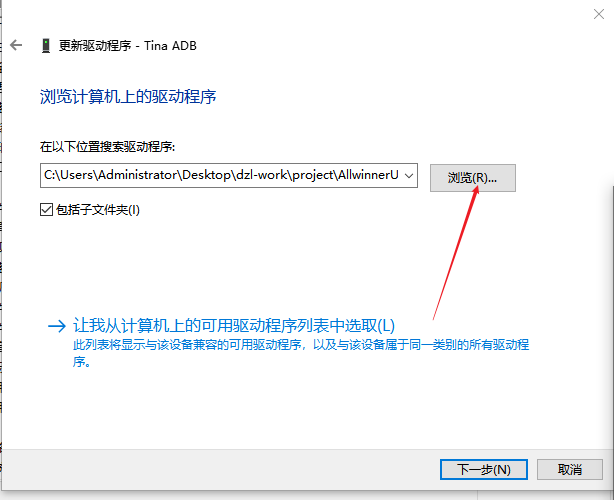
Check the USB cable, FEL timing, driver, power supply, and storage configuration when flashing fails.